
I just logged into my @Peekr account to see what's new with Lil' Peekr and I was given the option to try the new Twitter... so I did, of course. I figured I'd grab a few screenshots for other folks that have not seen it yet and give folks a taste of what they might be missing (or think they're missing anyway). The screenshots below were taken while logged into Twitter using my @Peekr account via web as I was beginning to test the new UI with the @Peekr bookmarklet.
This Too Shall Pass, I Think?
Sadly, as I took a brief cursory look it seems like the new UI uses several different ID's which breaks the peekr bookmarklet version 2.0 — not the concept, just the current JavaScript. I'm thinking of possible fixes or a solution so stay tuned, but be forewarned I might not be able to fix it — and it's football and hockey season, so it may take a while if I even decide to bother with it.
Oddly enough, as I logged out and back in again with my other account it was actually comforting to use the old style Twitter web interface — which is still an option after you've tried the new one (at least for a while anyway). I've used so many Twitter clients over the years so it really doesn't matter much to me anyway.
Note that the full size screen captures are fairly large in terms of resolution and file size. Sorry. It's late, I'm tired, almost out of beer and I want to get this post done...
New Twitter Screenshots
Everything In One Place

Shortcuts

TweetBox

Profile

Messages

Mentions

Retweets

Search for: 'backgrounds' With Links

Search for: 'backgrounds' People

Search for: 'backgrounds' People » More Info
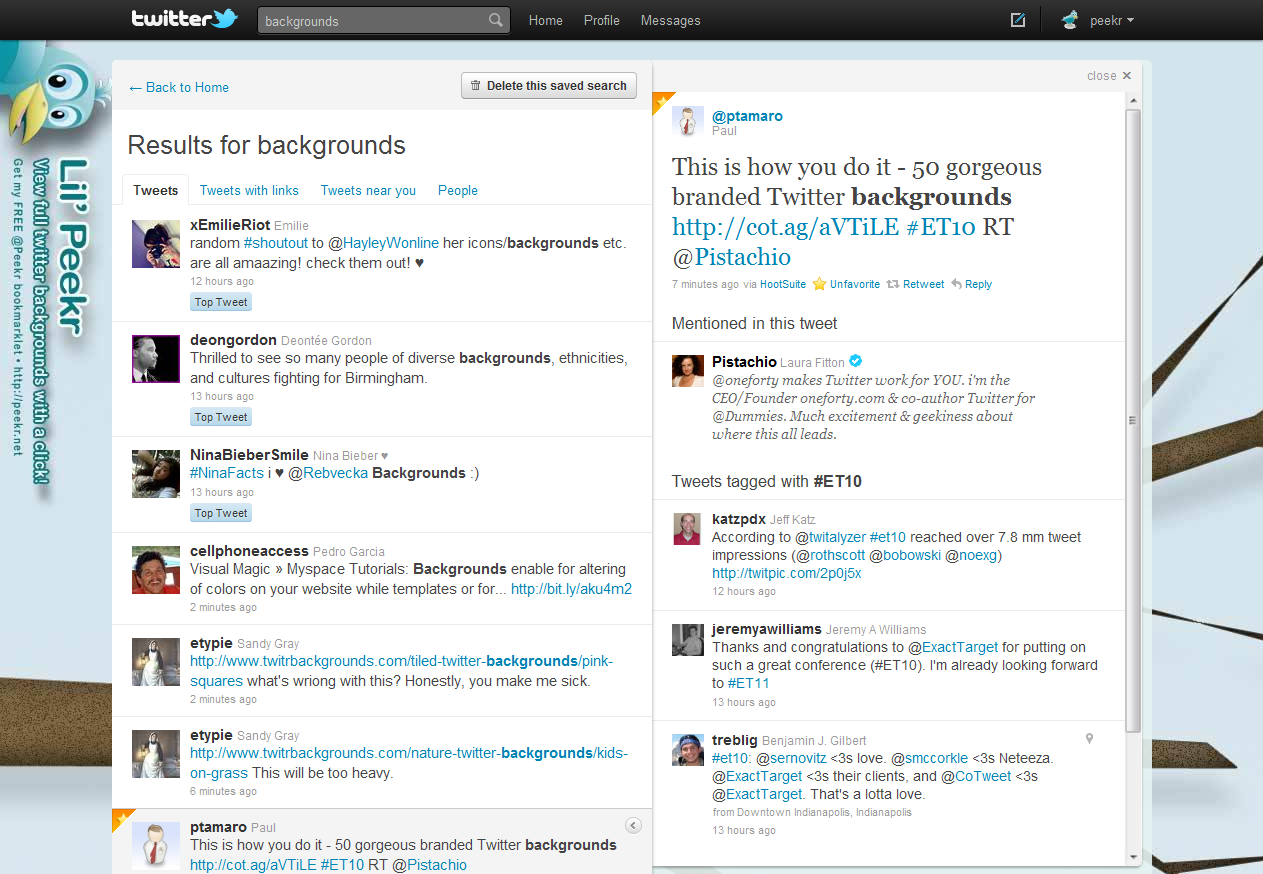
Doh! Nope, it ain't really workin'...


 If you haven't heard the news just yet, Google has rolled-out the ability to make Google Voice calls directly from your Gmail account (among other things). I gave it a try and it looks more than just promising. Why not get your geek on and check it out for yourself? Or, check out the links and some screenshots below to get a better idea of what it's all about...

